

Model Groups
Your app should not need to know which provider answered its last request, or need a deploy every time you want to change that answer. A model group is what makes that possible: the model value your app sends is a name you control, not a specific provider's model ID. It hides the provider accounts, models, fallbacks, and routing rules behind one stable alias.
Why Model Groups Matter
- A new model ships that's better or cheaper. Update the group's targets in the console — every app sending that model group name picks it up immediately, no deploy required.
- Your primary provider has an outage. With a fallback route configured, the gateway moves to the next target automatically; your app never sees it.
- You want to try a new model safely. Add it as a small-weight load-balance target next to your current one, watch the results, then dial the weight up or remove it — no code change either way.
- Product teams can use stable names such as
coding-agent,smart-llm,reasoning, orvision. - Operations teams can change providers or fallback rules without changing application code.
- Finance teams can see usage and spend by business workload instead of raw provider key.
- Admins can combine coding-plan backends and credit-based backends in the same group.
What You See in the Console
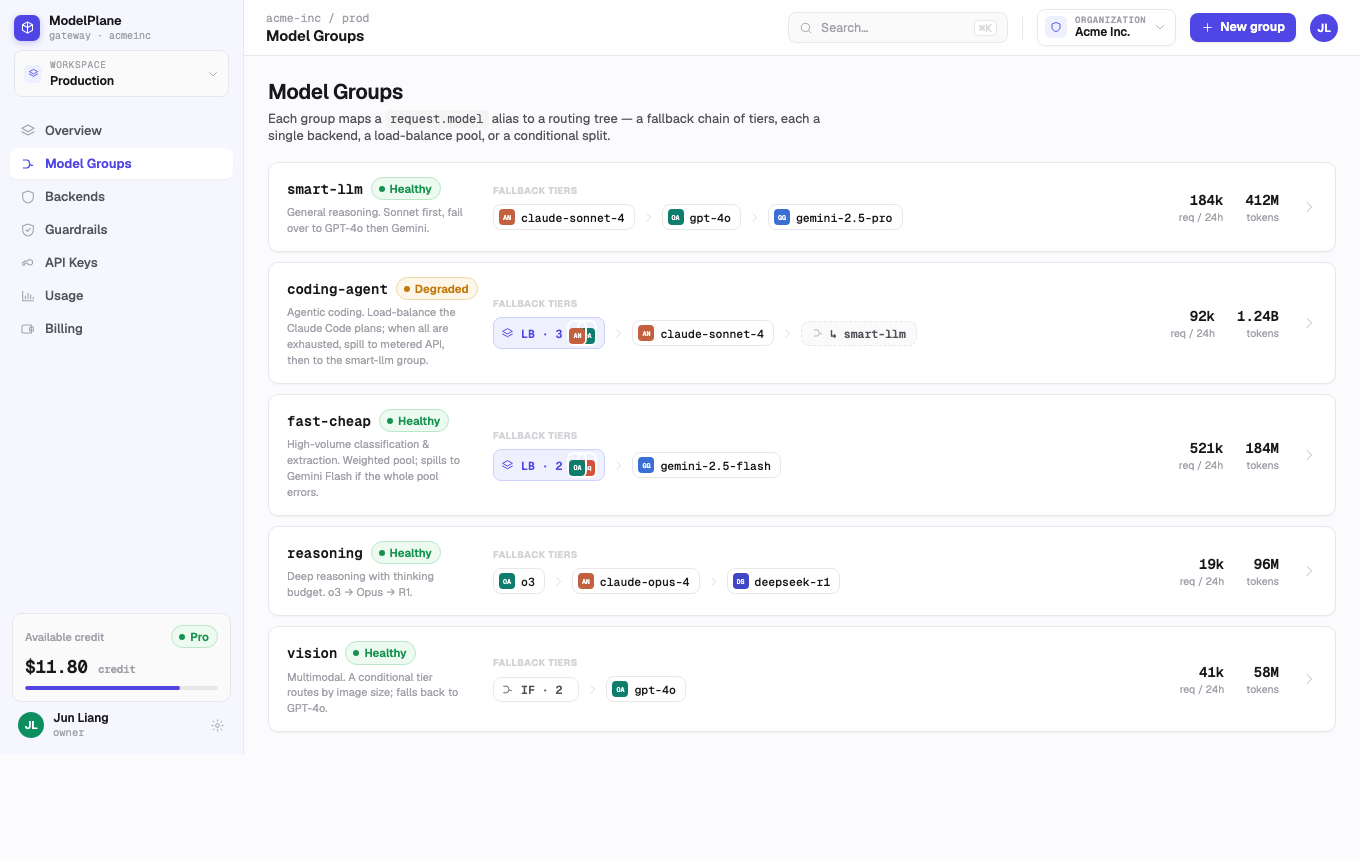
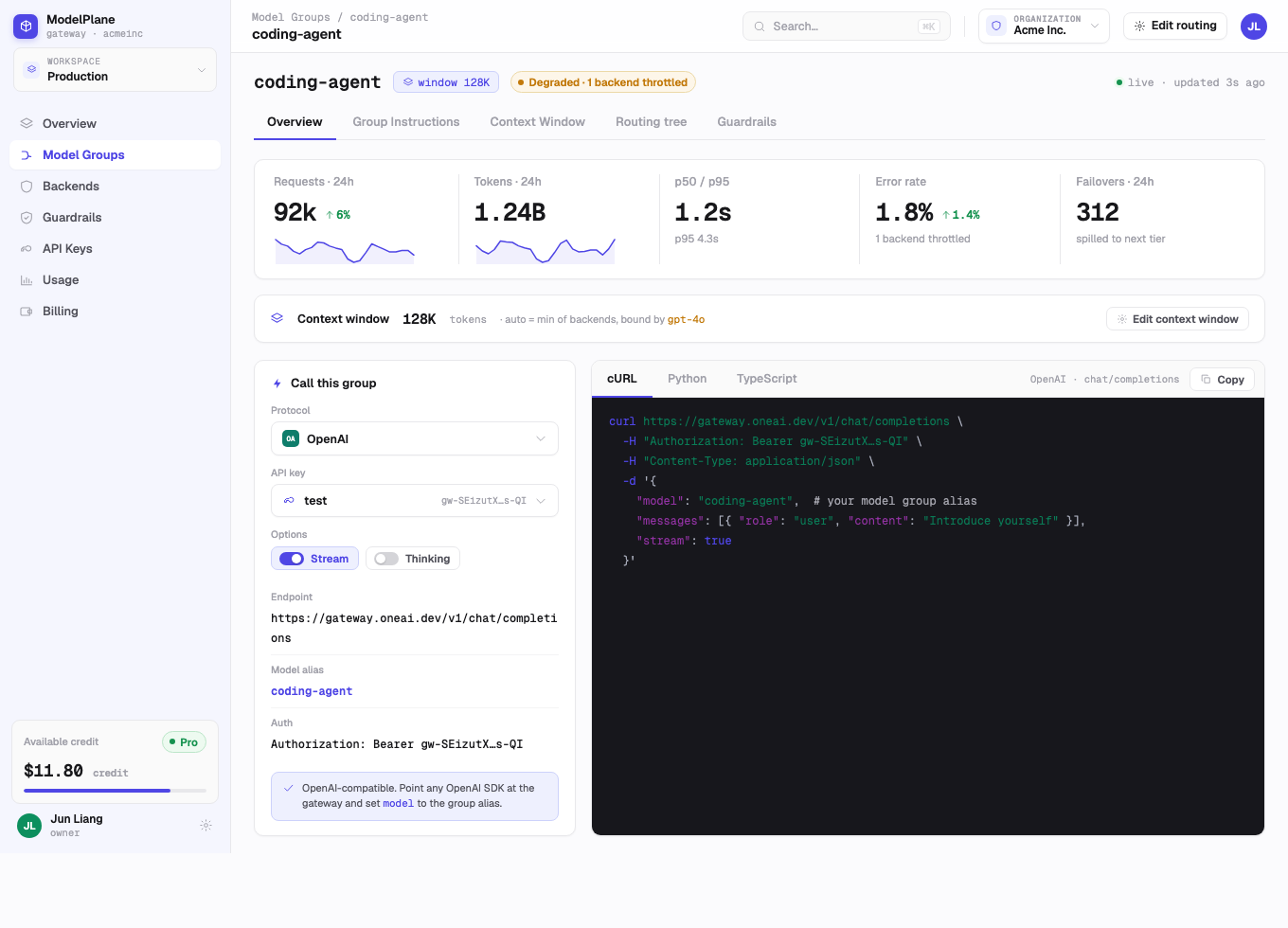
Each row shows the group name, health, route summary, request volume, token volume, latency, and error rate. Open a group to inspect its routing tree and live usage.
Common Group Patterns
General Assistant
Use a strong primary model, then fallback to another provider if the primary model fails or reaches concurrency limits.
Coding Agent
Prefer coding-plan capacity first, then fallback to metered API accounts when quota is close to exhausted.
Fast Cheap
Use a low-cost model pool for high-volume extraction, classification, and short replies.
Vision
Route multimodal requests by file size, provider capability, or latency target.
Multimodal Routing
How it works: A model group's routing tree can mix backends with different multimodal capabilities. When a request includes an image, audio, video, or file, the gateway checks each candidate backend's declared support and skips any backend that can't handle it — no extra fields on the request itself, no client-side branching.
How to use it: Add a multimodal-capable backend alongside your regular backends in the same fallback or load-balance group. A backend built from the provider catalog picks up its known modality support automatically; a custom backend needs it declared explicitly to be considered for multimodal requests. A backend with no declared support is treated as text-only.
Why it matters: Some of the strongest, cheapest, or fastest models are text-only — the DeepSeek-V4 family, for example, doesn't accept images at all. Send it an image anyway and you either get a hard error, or worse, an answer that quietly ignores the image and responds from the text alone — a bug you may not notice until a user complains. Rather than choosing between "use the model I want" and "support images," put the text-only model as the primary backend and add a vision-capable model as a fallback purely for the requests that need it. Callers keep sending everything to the same model group name; plain-text requests still get your preferred model, and requests with an image are routed around it automatically, with no added complexity on the calling side. If every backend in the group is skipped this way, the request fails with a clear error instead of being silently sent somewhere that can't process it.
Best Practices
- Name groups by workload, not by provider.
- Keep one production group per major use case.
- Review health and spend after changing a route.
- Use the detail view before deleting a backend that is shared across multiple groups.